The way you lay out your conference or event room has a big impact on how people see, hear, move, and join in. Theatre and chevron layouts work best when you want to fit a large audience and focus on one speaker. Classroom, U-shape, hollow square and boardroom layouts are better for training and group discussion. Cabaret and banquet are ideal when you mix talks with food and table work. Lounge and cocktail layouts support networking and social time.
Your layout is the link between your content, your guests, and your AV. The “right” layout depends on your event type, guest numbers, how interactive the day should be, and what AV you need. Plan layout and AV together from the start, and work with an AV partner who can help you choose the setup and hire the sound, screens, staging, lighting and furniture to match.
In this guide, you will learn:
- How does room layout affect visibility, sound, movement, and engagement?
- The main conference and event room styles, and when each one works best.
- What you typically need to hire for each layout (chairs, tables, AV, staging, lighting).
- Simple ways to choose the right layout for your numbers, event type, and goals.
- Common layout mistakes to avoid so you don’t waste space or budget.
Why layout matters just as much as the speakers
The layout of the room is like the “user interface” of your event. The way you place chairs, tables, and screens affects how people see, hear, move, and talk to each other.
- Visibility: In a large room, straight rows can leave the people at the sides craning their necks. Angled layouts, like chevron, help more people face the focal point.
- Sound: Audio behaves differently when you pack people into tight rows versus spreading them around round tables. A theatre layout is great for projecting towards one focal point, while a banquet or cabaret may need more speakers around the room.
- Interaction: A U-shape or hollow square invites discussion. A theatre layout does not. Classroom or cabaret sits somewhere in the middle, mixing focus with collaboration.
- Capacity: Theatre and chevron will always fit more people than cabaret or lounge, simply because you’re not using space on tables and soft seating.
Good layout planning means you’re not fighting the room all day. People can see the stage, they can hear clearly, and they can move without disrupting everyone else.
The main layouts you’ll see (and when to use them)
Most UK venues and AV teams work with a common set of layouts. You don’t need to know every technical term, but it helps to understand the basics so you can brief your venue and AV partner clearly.
Theatre and Chevron for keynotes and briefings
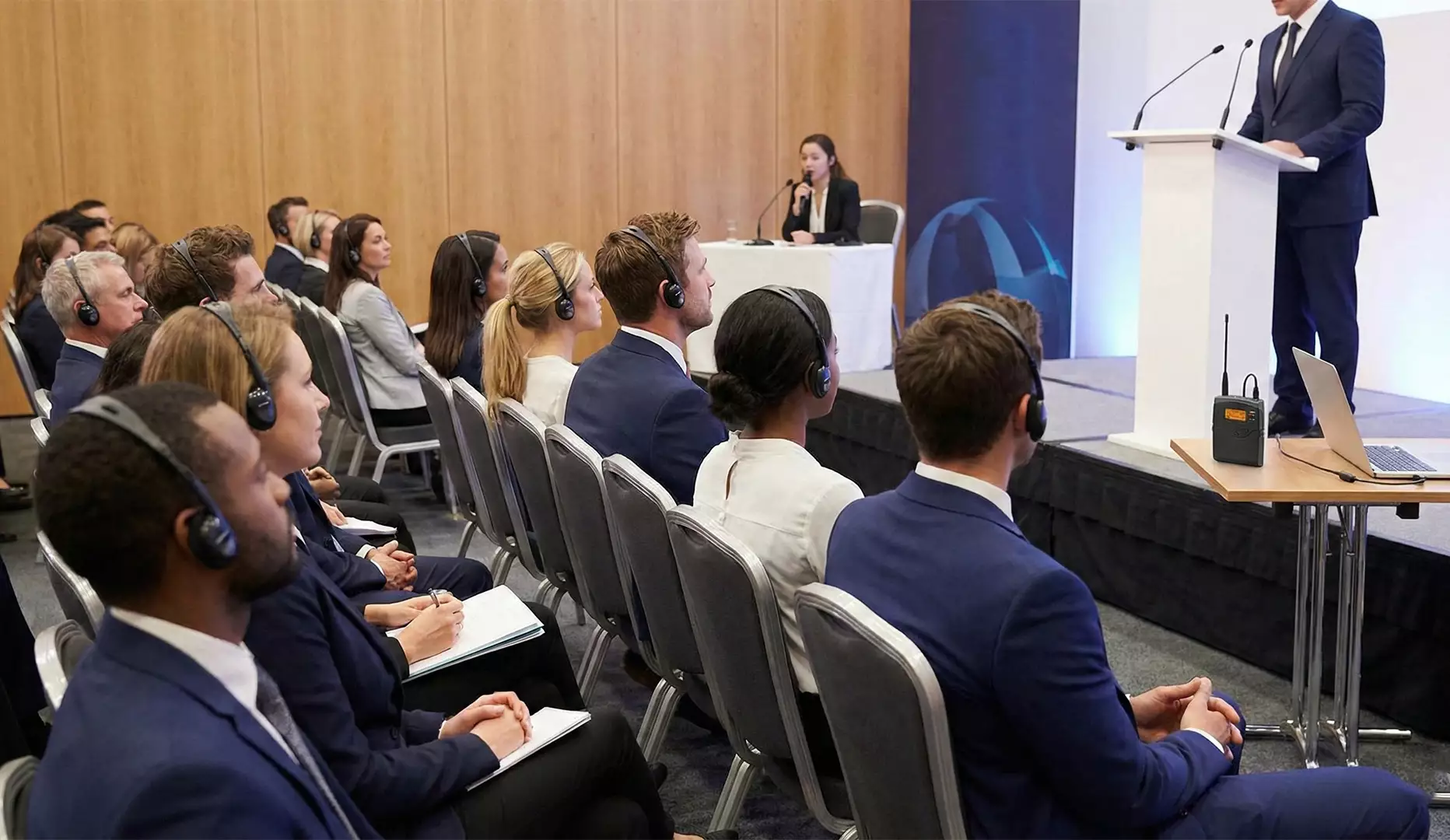
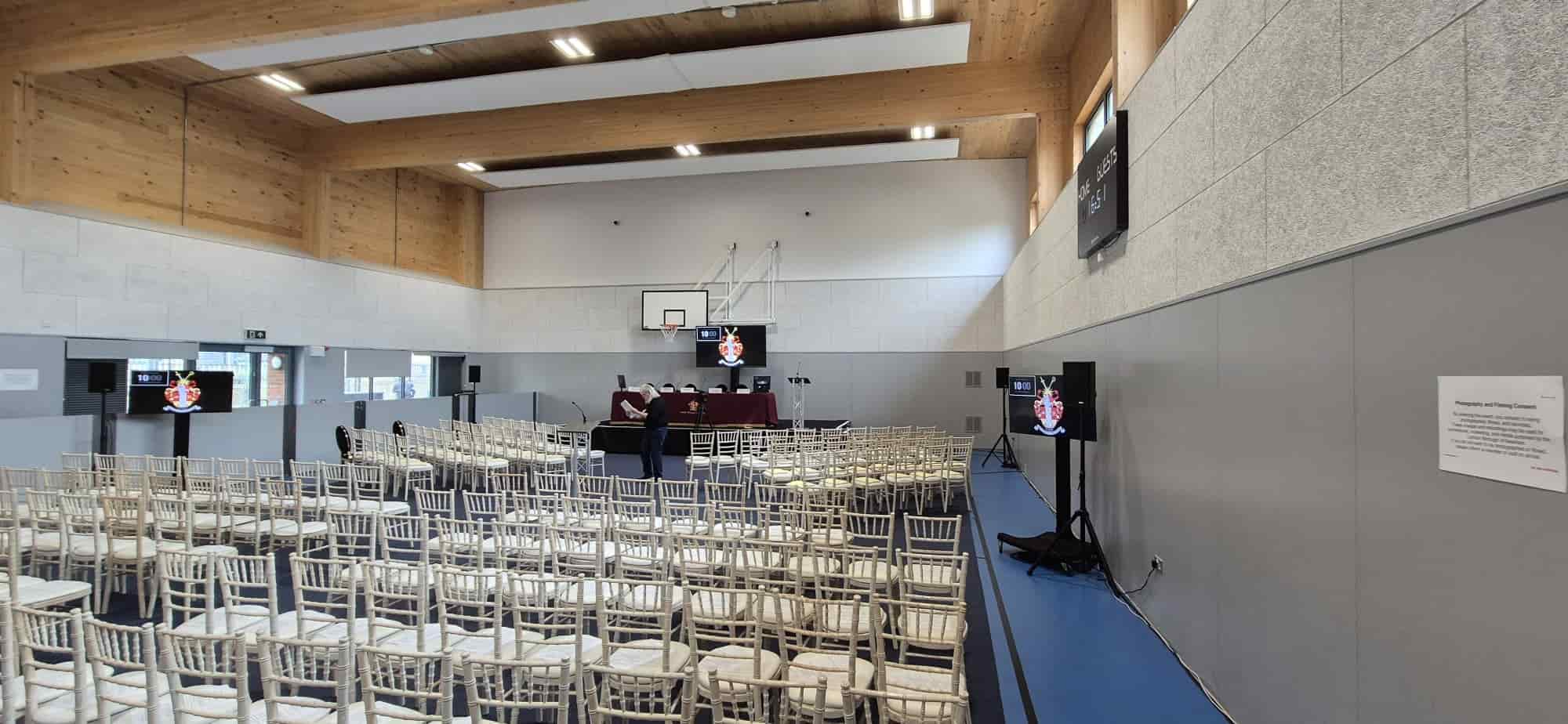
Theatre (or auditorium) style is the simplest: rows of chairs all facing the stage or front, with no tables. It’s what you’d expect in a cinema or lecture hall. It’s used when you want maximum capacity and a strong focus on a single speaker or screen, such as town halls, keynotes, and short briefings.
A variation of this is the chevron or herringbone style. Here, the rows are gently angled in towards the centre, forming a shallow “V” shape. That small twist gives better sightlines, especially at the edges, and can help the room feel more engaged than straight lines.
For both layouts, you’re usually hiring:
- Rows of conference chairs.
- A raised stage or risers so the presenter can be seen.
- A sound system with microphones (at least one wireless).
- A main screen or LED wall, sometimes with repeat screens further back.
- Basic stage lighting so faces are clear on camera and to the room.
If your event is mostly “listen and learn” with limited interaction, theatre or chevron is the natural starting point.
Classroom: when people need to write and work
Classroom style takes the same forward-facing layout and adds tables. Each delegate gets a workspace for notes, laptops and printed material. It’s common for training days, workshops, and certification sessions where people need to concentrate for several hours.
Because tables take up room, you’ll fit fewer people than in a theatre. The trade-off is comfort and productivity. In practical terms, you’re looking at:
- Trestle tables and chairs.
- Power points or extension leads for laptops.
- A main screen or projector, plus a sound system if the room is large.
- Flipcharts or a whiteboard for exercises.
If your audience will be in the room all day and you expect active note-taking or laptop use, a classroom is usually kinder than packing everyone into simple rows.
Boardroom, hollow square and U-shape for discussion and decisions
When your goal is conversation rather than broadcast, layouts that bring people face-to-face work much better.
Boardroom style is a single long table (or several tables joined neatly) with chairs around it. Everyone faces each other, which is great for senior meetings, client pitches and small project teams. Most guides suggest it works best for up to about 20–25 delegates.
Hollow square uses tables to form a square or rectangle with a hole in the middle. It feels like a larger version of the boardroom: more people, same “we’re all equal at the table” vibe. It’s popular for strategy days and cross-team planning, where everyone needs to see and speak to everyone else.
U-shape opens one side of the square, creating a horseshoe that faces a focal point. This setup makes it easy for a trainer or facilitator to move into the open area and keep eye contact with all delegates. It works well for workshops, brainstorming, and interactive demos.
Across these three, the hire kit is similar:
- Modular tables that can be re-configured into a boardroom, square, or U.
- Comfortable chairs (people are often seated for several hours).
- A large display or projector at the open end for U-shape, or side screens for hollow square and boardroom.
- Table or ceiling microphones and a video bar or camera if you’re running hybrid sessions.
If your event is about decisions, collaboration, or group planning rather than one-way delivery, one of these shapes will serve you better than traditional rows.
Cabaret and Banquet for conferences with food and group work
Cabaret and banquet layouts both use round tables spread across the room. The difference is how you fill them.
In banquet style, you seat guests all the way around the table, usually 8–10 per round. It’s ideal for awards dinners, gala nights and charity events where the priority is eating, drinking, and socialising.
Cabaret style keeps the tables but removes the chairs on the side facing the stage. You end up with guests seated around two-thirds or three-quarters of each table, leaving an open side so everyone can face the front. This makes it much better for conferences and training days that mix presentations with table discussions, because no one has their back to the screen.
For both, you’ll typically be hiring:
- Round banquet tables and chairs.
- Linen and tableware, if it’s a meal-led event.
- A main stage, lectern and sound system.
- Screens positioned so that even those at the back can see.
- Stage and room lighting that can shift between “presentation” and “dining” modes.
Cabaret does use more floor space per person than a theatre. You’re trading some capacity for comfort and better engagement. So, it’s worth checking the room dimensions carefully with your AV partner before you lock in numbers.
Lounge and Cocktail for networking and informal zones
Not every part of an event needs to feel like a meeting. Lounge and cocktail layouts support the social side.
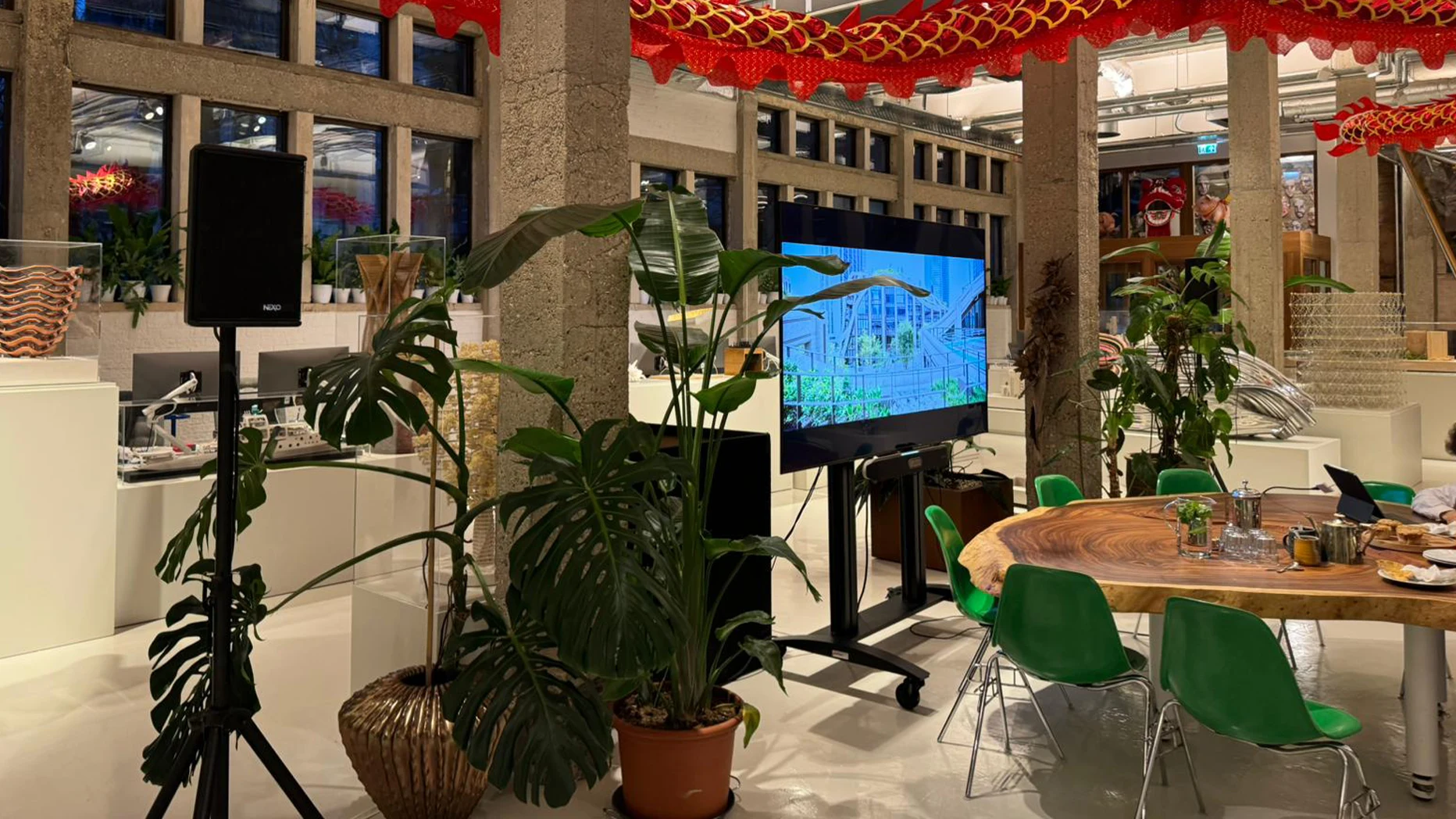
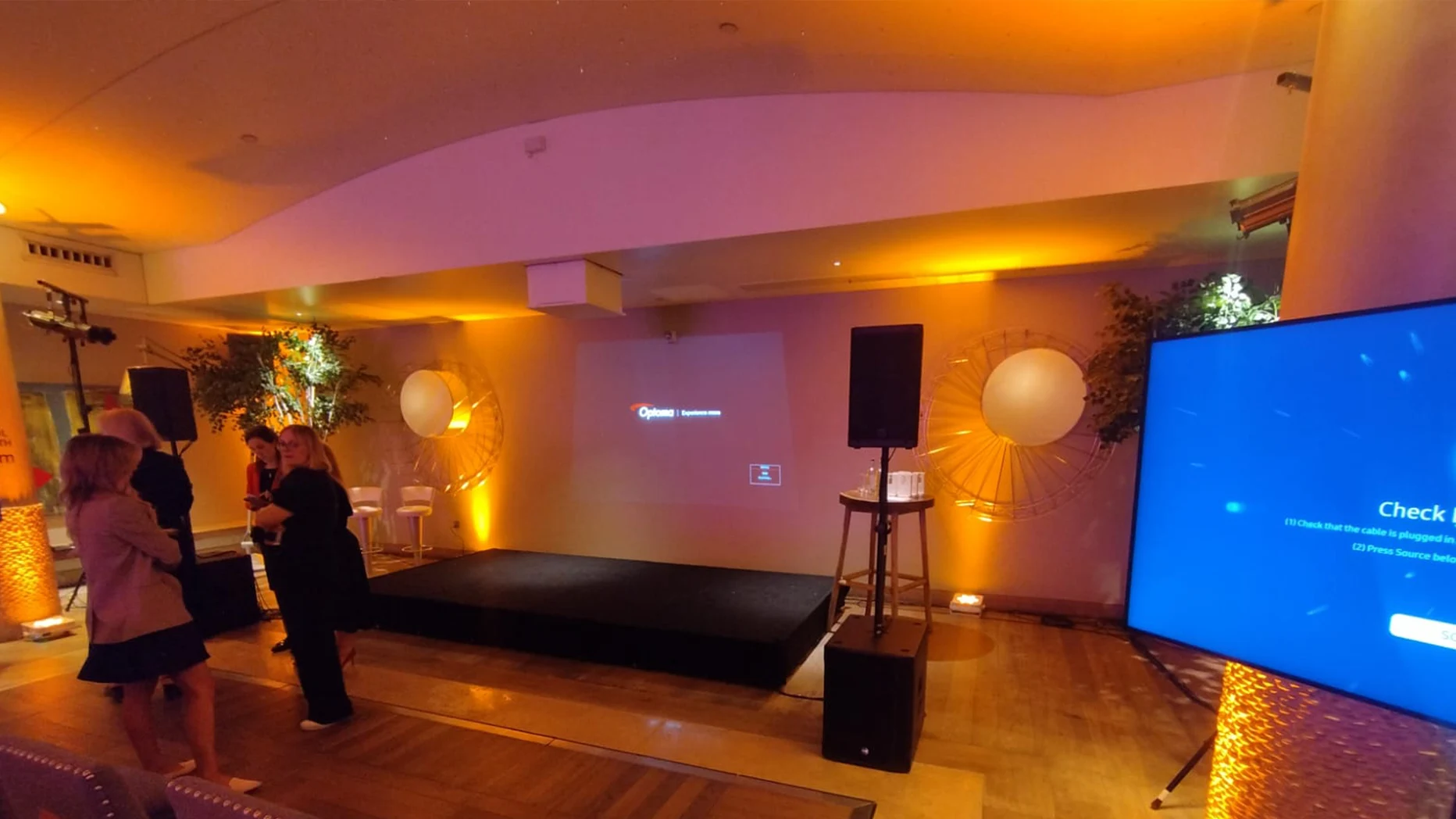
A lounge layout uses soft seating, sofas, armchairs, coffee tables, lamps and rugs to create relaxed pockets around the venue. These areas are useful as networking corners, VIP zones, sponsor spaces, or simply quiet areas away from the main stage. They work best when you pair them with subtle background music and some branded content on small screens.
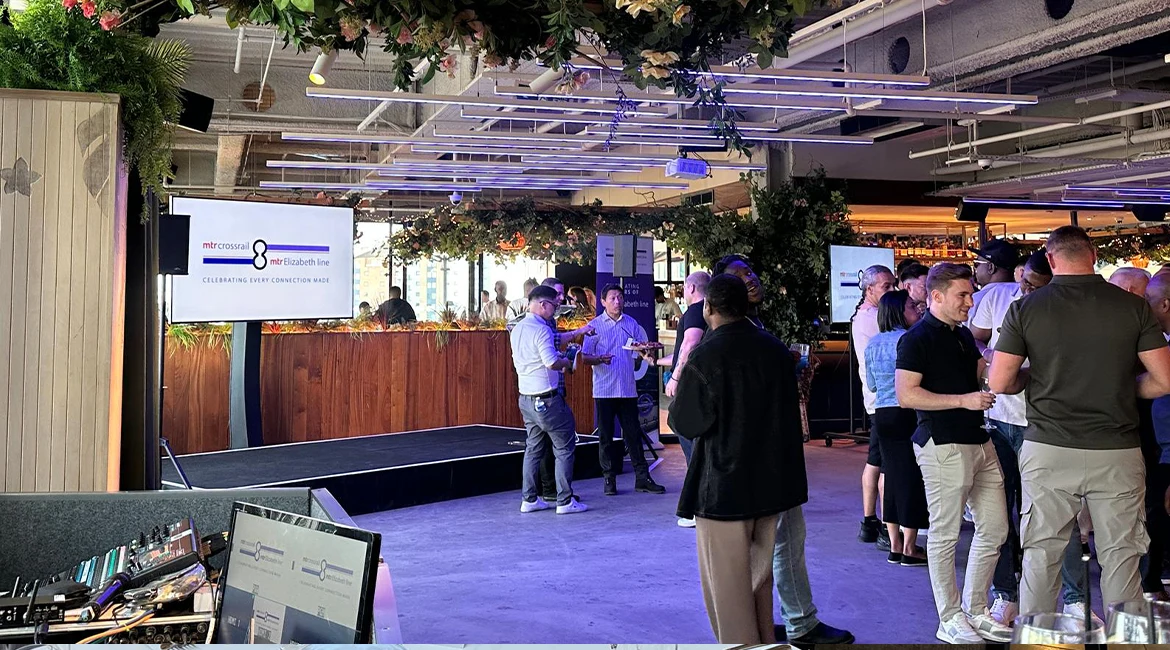
Cocktail or standing reception style strips seating right back. You might have a few tall poseur tables and small clusters of chairs, but most guests will be on their feet, talking and moving. This style is common for launch parties, drinks receptions and networking after a conference.
What you hire here is different again:
- For the lounge: soft furniture, coffee tables, floor lamps, and small speakers for background audio.
- For a cocktail: poseur tables, a bar setup, a compact PA for announcements, and party or ambient lighting.
- In both cases, you may want a small stage or riser if you plan short speeches or live music.
These layouts don’t suit long, content-heavy sessions, but they’re ideal when your main goal is connections and conversation.
How to match the layout to your event?
If you’re looking at a blank floor plan and feeling stuck, a few simple questions will quickly narrow the options:
- If your event is mostly one-way presentations to a large audience, theatre or chevron will usually be the most efficient starting point.
- If you’re running a training or workshop where people need to write, use laptops and talk to each other, a classroom or a cabaret often works better.
- If your focus is group discussion, planning, or decision-making, a boardroom, hollow square, or U-shape helps everyone feel involved.
- If the event centres on food, awards, a gala, a corporate party, a banquet or a cabaret, it tends to be the natural language of the room.
- If you want people mingling, meeting new contacts or celebrating, lounge or cocktail zones will do more for you than another row of chairs.
From there, your AV and production team can help adjust the details: screen sizes, speaker positions, stage height, camera locations, aisle widths and power access.
Common issues AV teams encounter (and how to avoid them)
Because layout is often left late, the same problems come up again and again:
- Rooms are booked to “maximum capacity” in theatre style, then switched to cabaret at the last minute, cutting the capacity sharply.
- There’s no space left for cameras, a control desk, stage steps, or comfort monitors for presenters.
- Power and cable runs were never considered, so you end up with unsafe extensions taped across walkways.
- Centrepieces or room décor block sightlines to the screen, especially in banquet setups.
Most of these can be solved early if you share guest numbers, room dimensions, and event goals with your AV partner when you first discuss layouts.
How AV Productions can help
Choosing a room layout shouldn’t feel like guesswork. With the right support, you can match the space, the content, and the technology so they all work together.
At AV Productions, we help organisers across the UK plan layouts that:
- Make it easy for guests to see, hear, and move.
- Use the room’s capacity sensibly, not just on paper.
- Allow for cameras, control desks, staging and lighting from day one.
We can work from your floor plan, suggest layouts for your numbers and event type, and then supply and install the AV, staging and furniture to match.
If you already know your venue and date but you’re unsure which layout will work best, share your guest count, room size and event goals. We’ll help you choose a setup and the hire kit to go with it, so your room layout supports the day instead of fighting it.
FAQs
How do I choose the best room layout for my event?
Start with three points: the main goal (listening, learning, discussion, networking), the number of people, and how interactive the day should be. For a big audience and short talks, theatre or chevron is often best. For training and workshops, a classroom or a cabaret works better. For planning and decision-making, U-shape, hollow square or boardroom tend to be stronger. For dinners and parties, banquets, lounges, or cocktails are usually the right fit.
Which layout is best for a full-day training session?
If people need to use laptops or write a lot, the classroom style is practical because everyone has a table. Cabaret is also a good choice if you want more group discussion and a mix of presentations and table work. Both are more comfortable for a long day than simple theatre rows.
I need to fit as many people as possible. What layout should I use?
Theatre style almost always gives you the highest capacity because you aren’t using space for tables. Chevron is similar but angled, which can help with sightlines. Just remember that “most chairs on paper” is not always the best experience for a long programme.
What layouts work best for awards dinners and gala events?
Banquet layout, round tables with chairs all around, is the classic choice for awards, charity dinners and formal evenings. If you want a stronger focus on the stage and screen in the daytime, you might use a cabaret for the conference part and then switch to a full banquet for the evening.
How does room layout affect AV and staging?
Layout and AV are tightly linked. The chair and table plan decides where you can put the stage, how large your screens need to be, where speakers and lights go, and whether there is room for cameras and a control desk. Tight layouts with no aisles make it harder to run cables safely. Choosing your layout early and sharing it with your AV partner helps avoid last-minute changes and extra cost.
Can I mix layouts in one event?
Yes. Many events open with theatre or chevron for the keynote, move into a cabaret or classroom for breakout sessions, and then switch to a cocktail or lounge for networking and drinks. The important part is to plan the changeovers in advance so the room turnaround is realistic and the AV setup still works in each format.
What should I tell my AV company when I ask for help?
Share your guest numbers, the room size or floor plan, the type of event, how interactive it should be, and how long people will be in the room. Let them know if you are using laptops, serving food, streaming online or recording. With that information, an AV team like AV Productions can suggest layouts, screen sizes, speaker positions and the right hire kit to match your goals.